Using Codecov within a monorepo
Recently I’ve been using Codecov as a way of managing and reporting on the test code coverage within my applications which are hosted on GitHub.
One of the great features that Codecov provides is the ability to report across multiple applications within a single repository, and return back a single test coverage percentage.
This article will attempt to show how Codecov can be integrated using a GitHub Action, including how this can be setup for a monorepo approach.
Initial Setup
For tracking the code coverage with Codecov, we can use a GitHub Action which will obtain the coverage, and then post this to Codecov. The below workflow has the following high-level steps:
- Checkout repository
- Install package dependencies
- Run the tests, and produce coverage report
- Upload coverage report to Codecov
name: Code Coverage

on:
  push:
    branches: [ main ]
  pull_request:
    branches: [ main ]

jobs:
  build:
    runs-on: ubuntu-latest

    strategy:
      matrix:
        node-version: [16.x]

    steps:
    - name: Checkout repository
      uses: actions/checkout@v2

    - name: Set up Node.js ${{ matrix.node-version }}
      uses: actions/setup-node@v1
      with:
        node-version: ${{ matrix.node-version }}

    - name: Install dependencies
      run: npm install

    - name: Run tests
      run: npm run test:ci

    - name: Upload coverage to Codecov
      uses: codecov/codecov-action@v2
      with:
        files: ./coverage/coverage-final.json
        token: ${{ secrets.CODECOV_TOKEN }}
There is more information about this available on Codecov’s website:
https://about.codecov.io/blog/javascript-code-coverage-using-github-actions-and-codecov
Monorepo setup
If we have more than 1 application within our repository, then it’s possible we’ll also have multiple unit test suites. For example, I have a repository which contains an Next.js app (called app), as well as a basic Typescript app (called actions). These both have their own npm scripts, and produce their own coverage reports.
To include both of these reports in Codecov’s coverage, we can adjust the steps in the previous section to the following:
- Checkout repository
- Next.js app:
- Install package dependencies
- Run the tests, and produce coverage report
- Upload coverage report to Codecov with flag “app”
- Typescript app:
- Install package dependencies
- Run the tests, and produce coverage report
- Upload coverage report to Codecov with flag “actions”
This new workflow looks like this:
name: Code Coverage

on:
  push:
    branches: [ main ]
  pull_request:
    branches: [ main ]

jobs:
  build:
    runs-on: ubuntu-latest

    strategy:
      matrix:
        node-version: [16.x]

    steps:
    - name: Checkout repository
      uses: actions/checkout@v2

    - name: Set up Node.js ${{ matrix.node-version }}
      uses: actions/setup-node@v1
      with:
        node-version: ${{ matrix.node-version }}

    - name: App - install dependencies
      working-directory: app
      run: npm install

    - name: App - Run the tests
      working-directory: app
      run: npm run test:ci

    - name: Actions - install dependencies
      working-directory: actions
      run: npm install

    - name: Actions - Run the tests
      working-directory: actions
      run: npm run test:ci

    - name: Upload app coverage to Codecov
      uses: codecov/codecov-action@v2
      with:
        files: ./app/coverage/coverage-final.json
        flags: app
        token: ${{ secrets.CODECOV_TOKEN }}

    - name: Upload actions coverage to Codecov
      uses: codecov/codecov-action@v2
      with:
        files: ./actions/coverage/coverage-final.json
        flags: actions
        token: ${{ secrets.CODECOV_TOKEN }}
With this in place, when a new pull request is raised, the Codecov workflow will automatically upload the new coverage reports and compare these to the main branch:
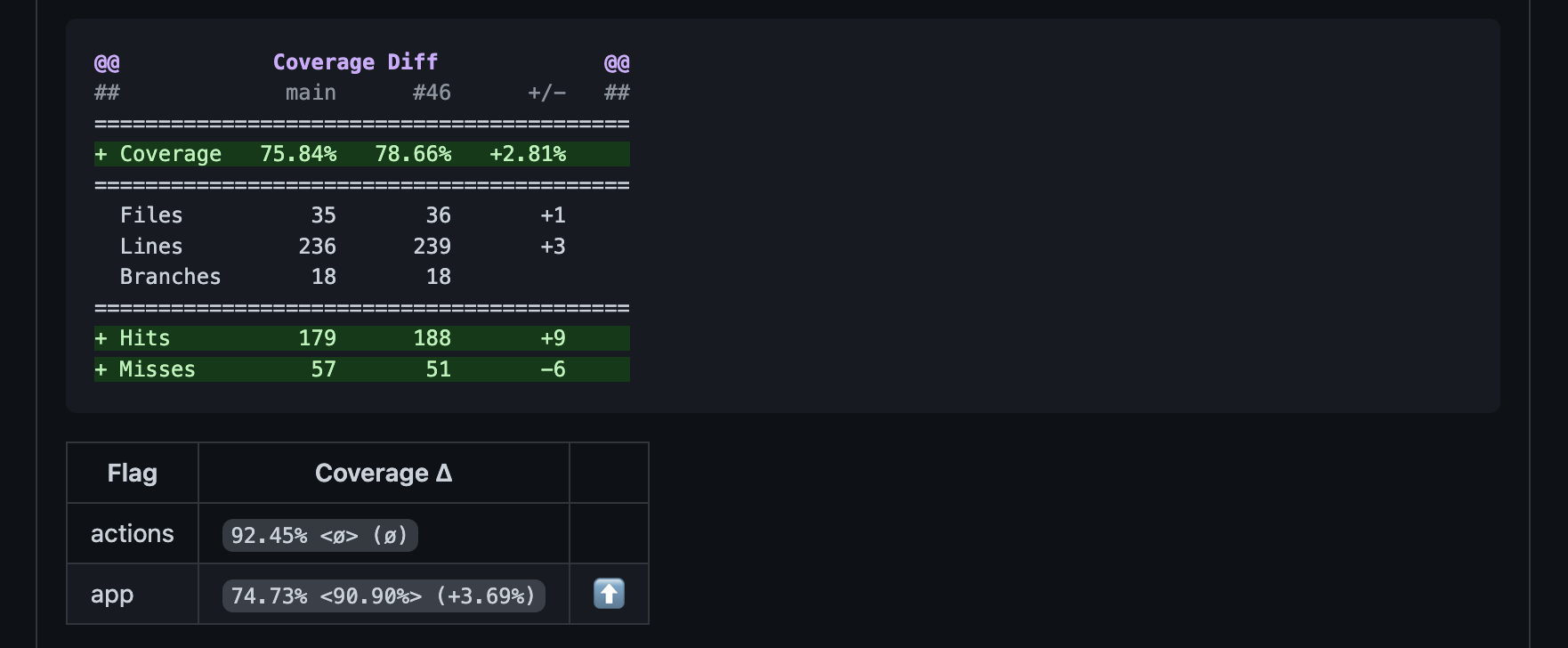
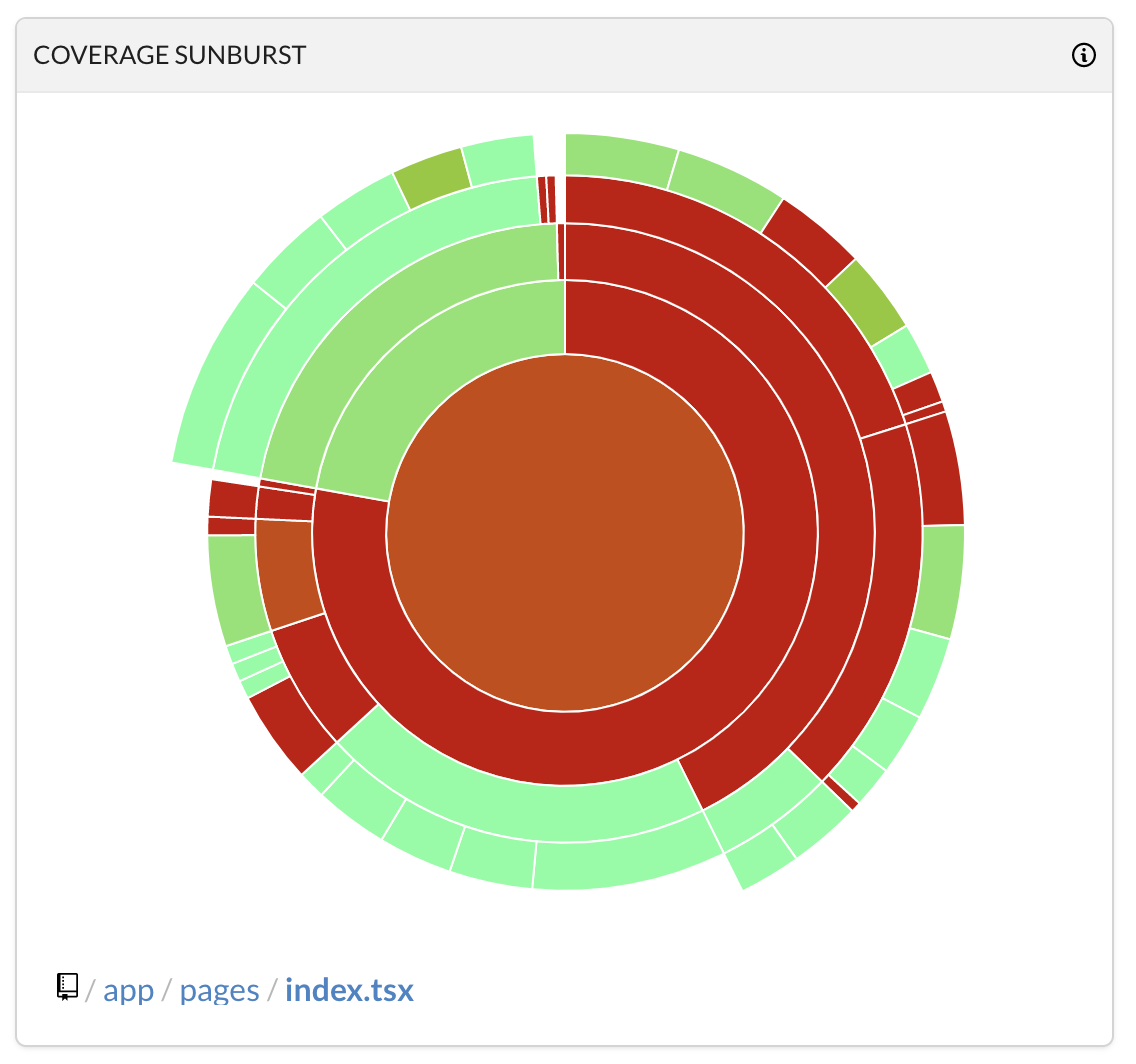
The metrics within the CodeCov will also combine these different coverage reports:
I hope this is of use, please feel free to leave any comments/feedback below!